// LIVE TESTING CHANNEL — NETWORKING · OS · WEB · AI
SS HackVerse is a hands-on channel for IT teams, developers, and business owners. We install the OS, break the network, build the site, and put the AI tool to work — unedited, unsponsored, and filmed start to finish.

// ABOUT
SS HackVerse started the same way most useful tech content does: with a question nobody wanted to spend a whole day answering. Does this Windows tweak actually help, or is it placebo? Does this router setting fix latency, or just move the problem? Instead of writing another "top 10" article, we started filming the answer.
Today the channel is a running log of real tests — fresh operating system installs pushed to their limits, home and office networks diagnosed step by step, full websites and apps built from an empty folder to a live deploy, and AI tools put up against actual deadlines instead of vendor demos.
Nothing here is sponsored, and nothing is staged after the fact. If a test fails on camera, that stays in the video — because a channel that only shows wins isn't useful to a business trying to make a real decision.
// WHAT WE TEST
Each pillar gets its own test log — same camera, same honesty, different domain.
Fresh Windows, Linux, and macOS installs pushed through real workloads — benchmarks, security hardening, and the optimization tricks that actually move the needle on low-spec machines.
Router configs, VPN setups, self-hosted DNS and ad-blocking, and full home-lab builds — diagnosed and fixed on camera, step by step, the way an admin would actually do it.
Full builds from an empty folder to a deployed site or app. We show the code and the wrong turns, not just a highlight reel — because that's what's actually useful to copy.
Real business use cases — automations, chatbots, content tooling — tested against actual deadlines and actual budgets instead of a polished vendor demo.
Hidden settings, faster keyboard workflows, storage recovery, and performance fixes — short, specific, and easy enough for anyone on the team to follow.
Send over the tool, setup, or claim you want put through its paces.
Suggest a test// FEEDBACK
We used the network diagnostics series before rolling out a new office router setup. Saved us from a config we would've regretted once staff actually started using it.
The OS optimization test was the first one I found that actually showed before/after numbers instead of just claiming a fix worked. Ran it on our client machines before deployment.
Watched the AI tooling comparison before picking a vendor for our support workflow. It was the only review I found that tested response quality under an actual ticket queue.
The live app-build series is the closest thing to pairing with a developer without hiring one. I've referenced it twice while briefing my own dev team.
// GALLERY
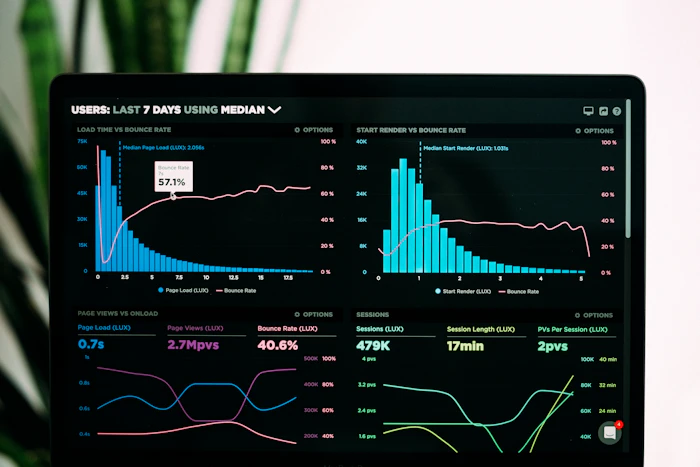
A few frames from recent builds and diagnostics. Click any image to view it larger.


// CONTACT
Business inquiries, collab ideas, or a specific setup you want stress-tested on camera — send it over. We read every message and reply within two business days.
Map centered on the US — swap in your exact studio address if you have one.